
AJAX Contact Forms Done Right
Layer in better feedback and smoother submission on top of a plain HTML form, without rewriting anything.
These days you can set up a working contact form in just a few minutes. With a simple HTML form and a Formspree endpoint, submissions start coming through right away. No backend, no infrastructure, no extra setup. For a lot of use cases, that’s already enough.
But once the form is live, maybe the default behavior is less than ideal for your needs. Submissions trigger a redirect, feedback shows up on a separate screen, and there’s no real sense of what’s happening while the form is being sent.
That’s where AJAX helps. It lets you keep the same markup and submission flow, and layer in things like inline feedback, loading states, and a smoother overall experience.
In this guide, we’ll start with a basic working form, then use Formspree’s formspree-ajax library to make it feel more integrated without rebuilding anything.
A Working Contact Form in a Few Minutes
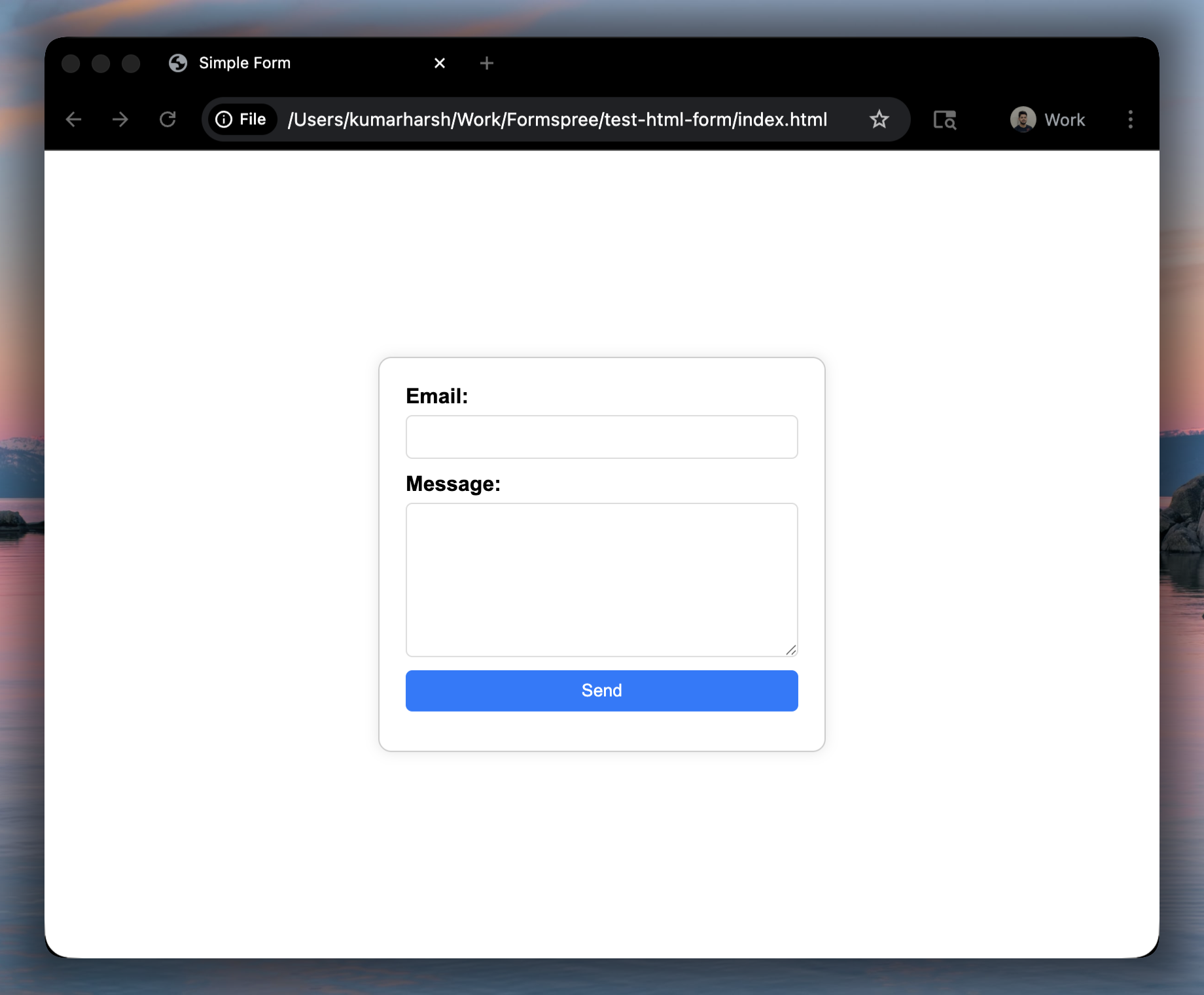
Let’s start with the simplest version. No JavaScript, no extra setup, just a plain HTML form that sends submissions somewhere useful.
With Formspree, that “somewhere” is just an endpoint tied to your form.
  <form action="https://formspree.io/f/{form_id}" method="POST">
      <label for="email">Email:</label>
      <input type="email" name="email" id="email" required />
      <label for="message">Message:</label>
      <textarea name="message" id="message" required></textarea>
      <button type="submit">Send</button>
  </form>
Replace {form_id} with your actual Formspree form ID, drop this into your page, and you’re done.
Where This Starts to Break Down
Now try submitting that form as a user:
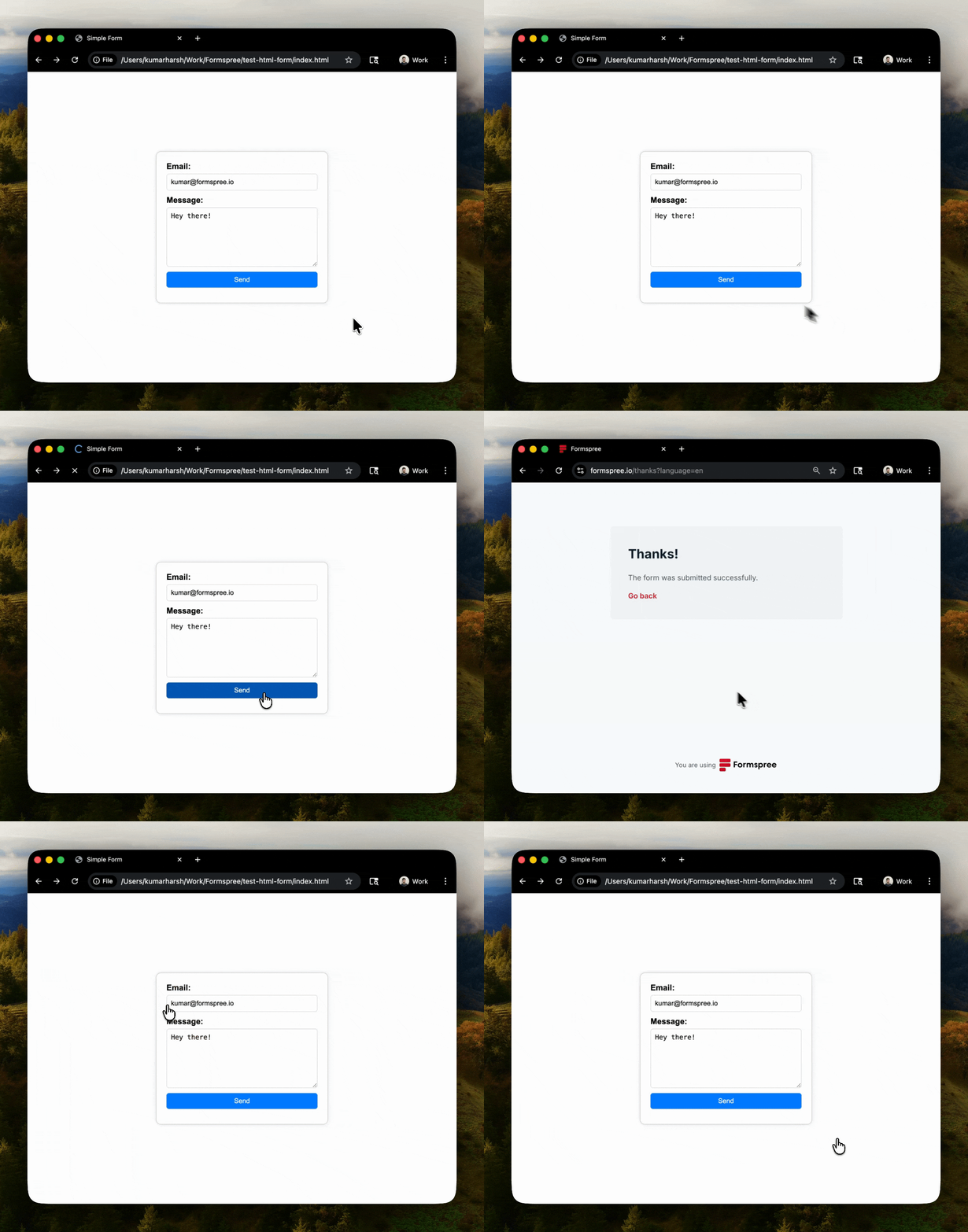
The data gets sent correctly, but the experience around it is a bit rough. After hitting submit, you’re taken away from the page to a confirmation screen. If something goes wrong, the feedback shows up there instead of next to the fields you just filled out.
There’s also no indication of what’s happening during submission. You click the button, and then… nothing changes until the next page loads. On a slower connection, that pause feels longer than it should.
These are small things in terms of the overall experience, but they add up:
- The redirect breaks the flow of your page
- Errors aren’t tied to specific fields
- Users don’t get immediate feedback while submitting
If the rest of your UI feels responsive and intentional, this part stands out in a bad way. And fixing it manually usually means writing fetch logic, handling responses, mapping errors back to fields, and managing loading states.
That’s the point where most people either live with it or start adding custom JavaScript.
Adding AJAX Without Rewriting Everything
The nice part is you don’t need to replace the form you just built.
You can keep the same markup and same fields. All you’re doing here is changing how the submission is handled in the browser.
Instead of writing your own fetch() logic and wiring everything up manually, you can layer in Formspree’s formspree-ajax library.
Add it to your page:
  <script>
      window.formspree =
          window.formspree ||
          function () {
          (formspree.q = formspree.q || []).push(arguments);
          };
      formspree(
          'initForm',
          { formElement: '#contact-form', formId: 'myzwnkqk' }
      );
  </script>
  <script src="https://unpkg.com/@formspree/ajax@1" defer></script>
Or install it via npm if you’re working in a build setup:
npm install @formspree/ajax
Now, just add a few data tags to your form elements:
  <form id="contact-form">

      <label for="email">Email:</label>

      <!-- Add data-fs-field here -->
      <input type="email" name="email" id="email" required data-fs-field />

      <!-- Add this to show field-level error automatically upon submission -->
      <span data-fs-error="email"></span>

      <label for="message">Message:</label>

      <!-- Add data-fs-field here -->
      <textarea name="message" id="message" required data-fs-field></textarea>

      <!-- Add this to show field-level error automatically upon submission -->
      <span data-fs-error="message"></span>

      <!-- Add data-fs-submit-btn here -->
      <button type="submit" data-fs-submit-btn>Send</button>
  </form>

  <!-- Add this to show success message automatically upon submission -->
  <div data-fs-success></div>
You haven’t really changed your form. You’ve just added a few tags. And yet, you’ve told the browser to handle the submission asynchronously and let the library take care of the details.
What Changes (and What You Didn’t Have to Build)
Submit the same form again after adding formspree-ajax:
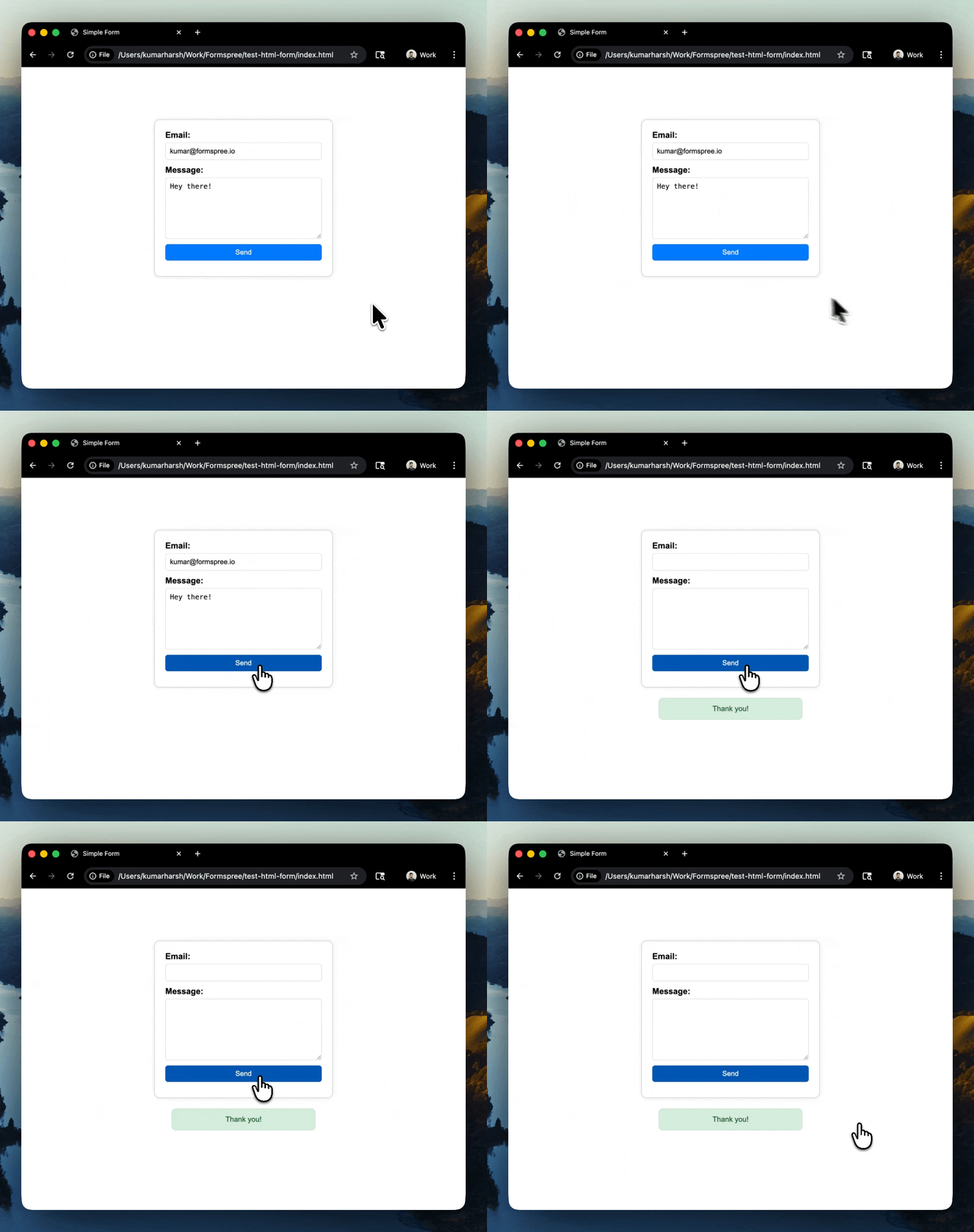
The structure is identical, but the behavior is different in all the right ways. The page doesn’t redirect anymore. The form stays in place, and feedback shows up exactly where users expect it.
You’ll notice a few things immediately:
- The form submits without leaving the page
- A success message appears inline
- Validation errors show up next to the relevant fields
All of this feels like what users are already used to elsewhere in your app.
If you’ve gotten this far, you’ve just skipped a ton of extra work. There’s no fetch() call to write or maintain. No parsing response payloads. No mapping errors back to inputs. No toggling loading states or remembering to re-enable the button. Even accessibility details like marking invalid fields are handled for you.
You kept the same HTML form and got a much better experience without turning it into a JavaScript project.
Customizing the Experience (Just Enough)
The default behavior gets you pretty far, but you can tweak things without turning this into a full rewrite.
For example, you might want to control what the success state looks like instead of using the default message. You can do that by writing your content directly in the <div> tagged with data-fs-success:
  <form id="contact-form">

      <label for="email">Email:</label>
      <input type="email" name="email" id="email" required data-fs-field />
      <span data-fs-error="email"></span>

      <label for="message">Message:</label>
      <textarea name="message" id="message" required data-fs-field></textarea>
      <span data-fs-error="message"></span>

      <button type="submit" data-fs-submit-btn>Send</button>
  </form>

  <!-- Just add the message here -->
  <div data-fs-success>Thanks for your response!</div>
You can also hook into field-level errors if you want to render them differently or plug them into your own UI components. The key thing is that you’re not rebuilding submission logic, just shaping how the result is displayed.
This approach fits well for static sites, landing pages, and small apps where you want a smoother form experience without adding backend code or extra infrastructure. If you’re dealing with complex multi-step flows or highly custom client-side logic, you’ll probably reach for a more involved setup like the Formspree React library, but for most contact forms, this is enough.
Wrap Up
You don’t need much to get a contact form working.
A simple HTML form and a Formspree endpoint will take you from zero to receiving submissions in a few minutes. From there, adding AJAX is less about adding features and more about improving how the form behaves for the user.
With formspree-ajax, you keep the same structure and layer in better feedback, smoother submission, and fewer rough edges. No custom request handling, no error mapping, no extra state management.
If you want to try it out, the quickest way is to start with the basics and then add the library on top:
That’s all you need to turn a working form into one that feels like it belongs in the rest of your UI.